


One thing about me? I’m a Type-B person disguised as a Type-A person. I’m that girl who sends post-nap “still in bed” selfies as my friends send their final looks to our group chat, I forget my boxed-up leftovers at the restaurant nine times out of 10, and the only thing that I’m truly competitive about is the number of pizza rolls I can chow down in one sitting. So why does the rest of the world think that I juggle three jobs with a meticulous attention to detail, organization, and time management? Enter my best-kept secret: Evernote.
I heard about Evernote a few years ago in college, but I never hopped on the train until recently, mostly because I didn’t know all of the capabilities it offered beyond note-taking. Once I realized that a planner and Google Calendar were simply not enough for me to juggle my personal affairs, my career as a branded content editor, my schedule as a pediatric emergency nurse, and my content timelines as a TikTok creator, I was willing to try just about any system to combat my tendencies of being forgetful and a little bit of a procrastinator.
When I signed up for Evernote, I remember thinking to myself, Where the hell has this system been my entire life? It’s become my one-stop-shop organization and productivity system and has allowed me to refine my Type-B-posing-as-Type-A ruse. Here’s why I love it and how I use it:

1. To manage multiple types of to-do lists
If you took one glance at my desk, you’ll find that I’m a list person. I make to-do lists, grocery lists, and to-read lists, and then, beyond those lists, I have sublists to make items on said to-do lists a reality. And while I’ve been a pen-to-paper gal for a lot of my life, I knew it wasn’t a foolproof system: It was hard for me to visualize multiple different lists at once, I couldn’t access them when I was on the go, and I couldn’t rearrange them by priority unless I started the list over.
Evernote is a list-maker’s daydream. I’ve created separate lists for my work at site, my work at the hospital, my work as a content creator, and my personal action items that I want to tackle. I schedule them out by adding dates and times when things should be completed, which helps me take a closer look at what I have to do and what needs to be completed first. I can set reminders for those tasks that are super time sensitive to help keep me on track and I can have my lists with me on my desktop and my phone, which makes Evernote super easy to integrate into my workday and when I’m out and about.

2. To get a better feel for my schedule
Evernote has the capability to link with Google Calendar, which has been an absolute life saver for both my professional and personal life. And in a world where both my brain and my desktop have 14 tabs open at once, not having to cross-reference Google Calendar in a different tab has helped streamline my processes so much. I can set reminders for whatever amount of time I’d like before meetings, which is super necessary for me, especially when I get in a flow state, lose track of time, and find myself scrambling a minute before my meeting. I can also link certain Evernote notes to certain meetings, which makes preparing seamless and intuitive.
3. To filter through the noise and see my day at a glance
No matter how prepared I think I am for tomorrow, it never fails that I’ll fall into a restful slumber and wake in the morning to a wave of panic, anticipating the trials and tribulations that come with each day. But I must say: I think I’ve found a cure in a warm cup of coffee and a glance at my Evernote homepage.
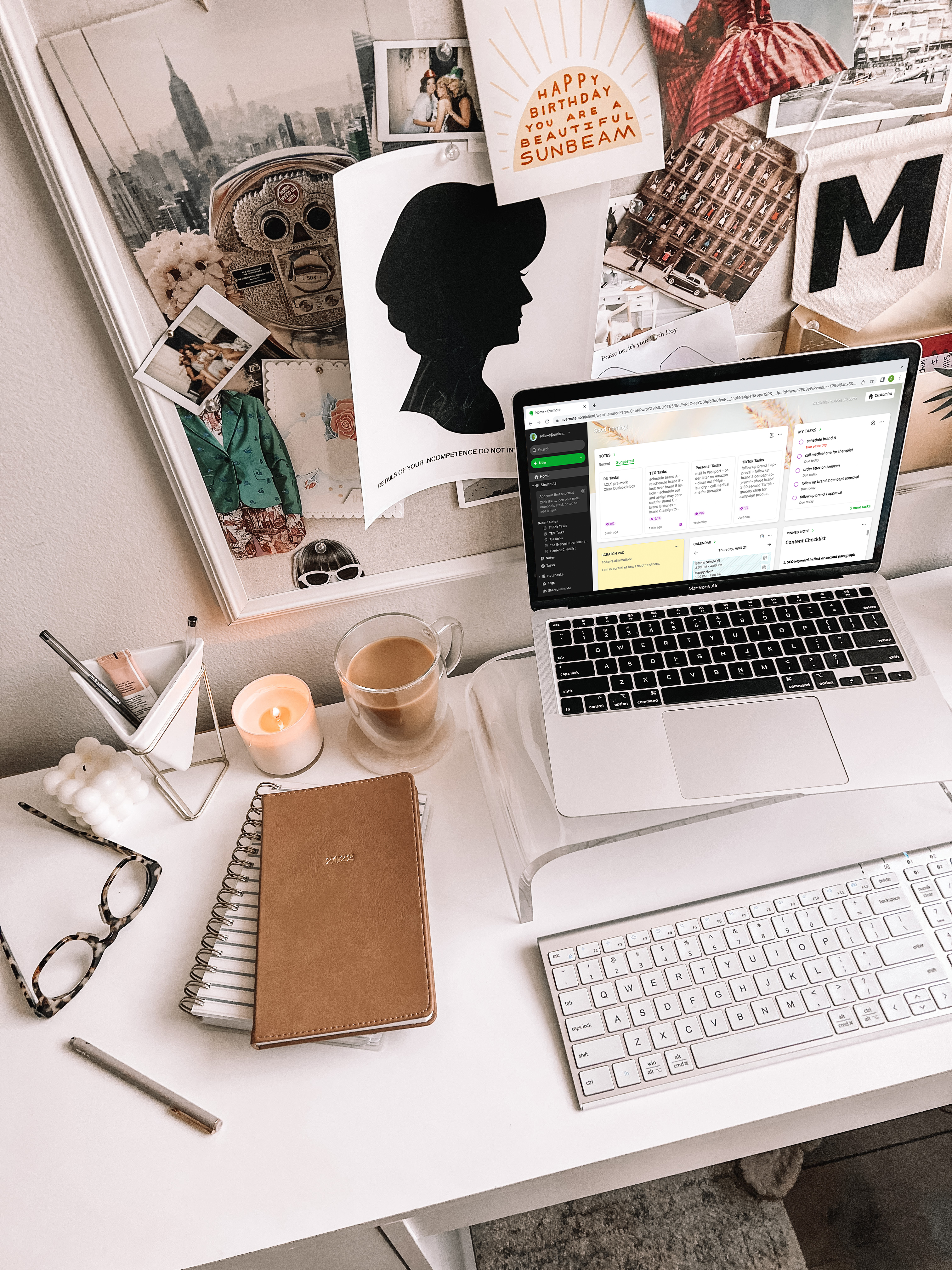
Evernote’s day-at-a-glance homepage helps me get a bird’s-eye view of my entire day: higher-priority tasks, meetings (linked over from my Google Calendar), the notes that I was last working on, and the notes that I’ve found important enough to pin to the homepage. Before, I’d let my anxiety take over and I’d tunnel myself into one task, not realizing that I was ignoring other priority assignments, which is my idea of anxiety fuel. I love being able to see the big picture instead of being distracted by tasks and messages, and for that alone, Evernote has my heart.
4. To take notes during meetings
It’s no surprise to anyone when I say that Evernote’s note-taking technology is superior to any other I’ve used in the past. And while it wasn’t necessarily the reason I wanted to try this organizational system, I’ve found it to be such a great tool with my current workflow and one that I truly don’t know how I lived without.
Within each note, you can add tasks, calendar events, tables, attachments, photos, sketches, and more. They have plenty of notes templates to choose from. From project trackers to travel calendars and beyond, I love having the option to group notes under certain notebooks so I can separate my work and personal notes to keep everything super organized. I mostly use the notes features to take notes during meetings, but I’ve recently started dabbling in more personal notes like chore charts, grocery lists, and a list that will secure me a Best-Maid-Of-Honor-Ever title for my best friend’s wedding next May.
Whether you’re looking to clean up your work life, interested in tracking multiple schedules, or wanting to plan a bigger project like a trip overseas, a wedding, or your next big idea, there’s a way that Evernote will make it easier. Click here to download Evernote and try it for yourself today!


